On the scanner
What an operator does, and what the device will and will not let them do.
Signing in
Company, site, scanner name, PIN. The device remembers the company and site from last time, so a scanner living at one warehouse does not have them retyped every shift. It never remembers the name or the PIN.
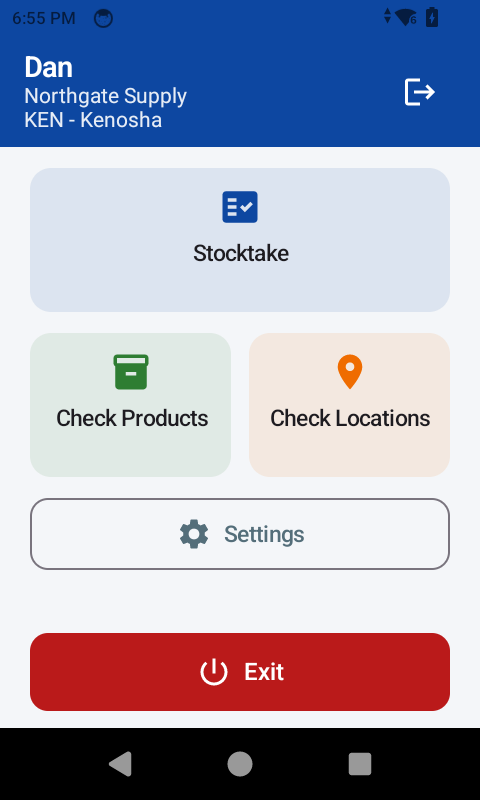
The company name and the site code are credentials, not labels — they decide whose data the scanner can see. They are on the sign-in sheet by the door.
Counting
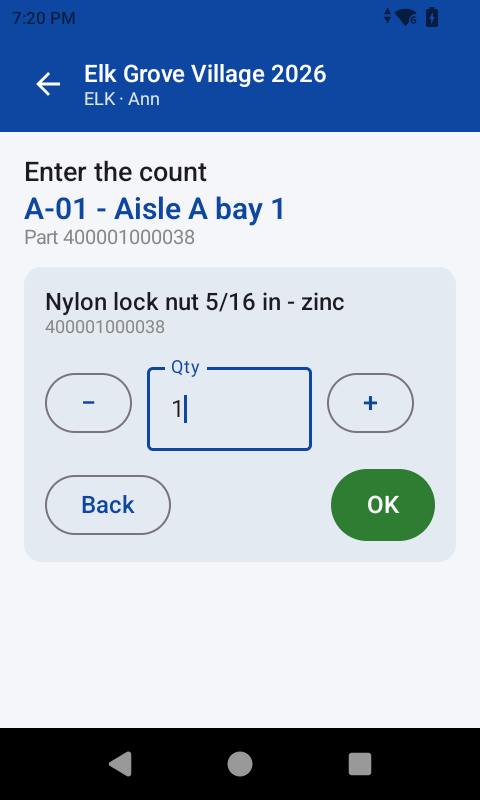
Scan the bin. Scan the part. Say how many. The device then asks for the next part in the same bin until you change bin.
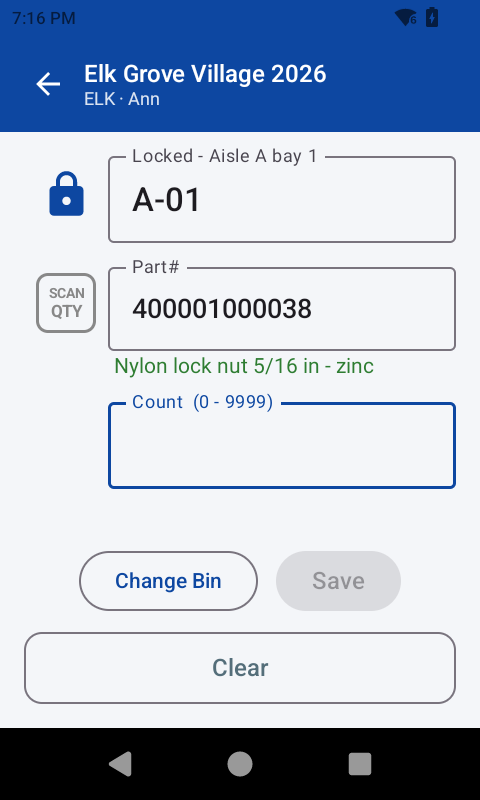
Every scan is a live lookup. If the part is not in your reference data the scan is refused on the spot with a message, rather than being accepted and queried later. That is the whole point: a problem is found while the operator is still standing at the rack, not the next morning.
Two ways to enter a quantity
Set per operator on the portal. Keypad suits a device with real keys. Buttons — minus, the number, plus — suits a touchscreen with no keypad. An operator can change it themselves on the scanner.
What the scanner cannot do
An operator cannot start or close a stocktake, load data, add a user or export anything. All of that is the portal's job.
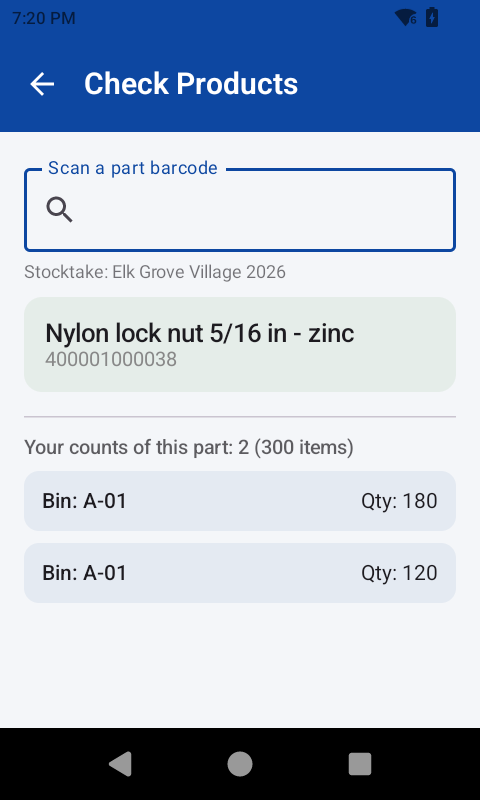
With no stocktake active the scanner still looks up parts and bin locations quite happily. That is how you test a site, or check a barcode, without recording anything.
Correcting a count
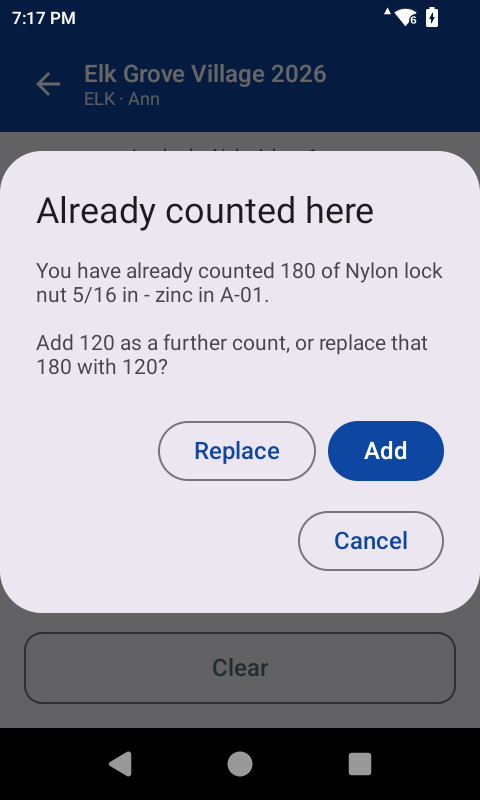
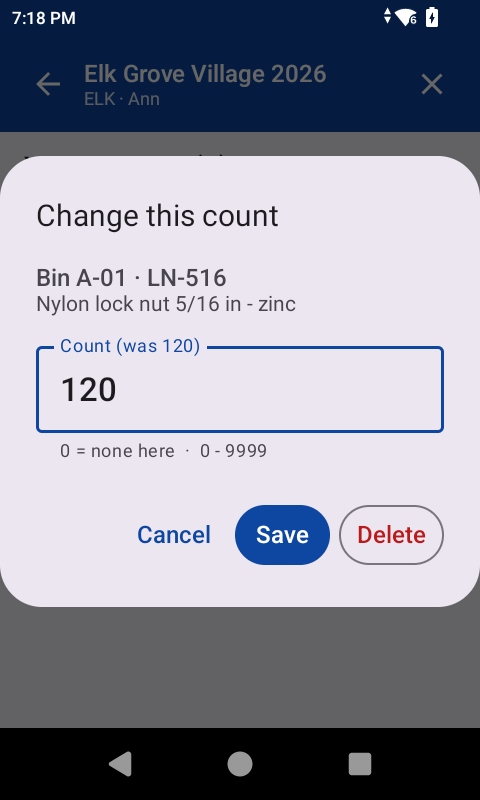
An operator can edit or delete their own counts, from the record on screen. Somebody else's cannot be touched — the portal answers as though it does not exist.
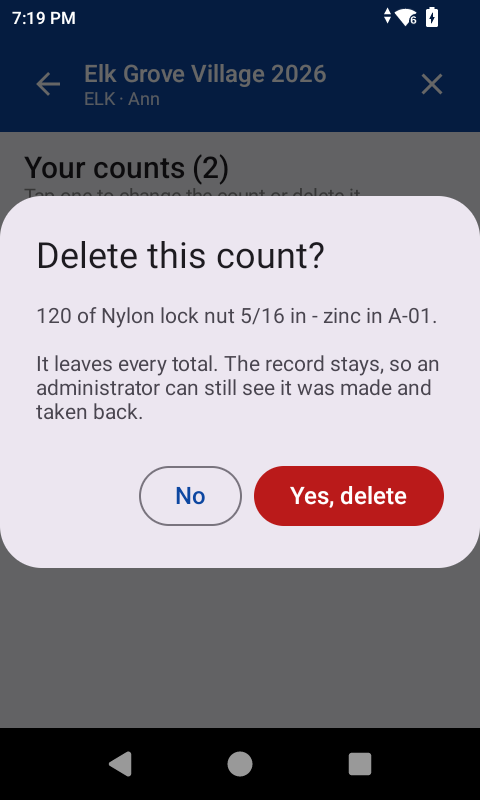
A deleted count leaves every total but keeps its row, so an administrator can see a figure was withdrawn rather than wondering whether it was ever made.